Series
Build a Compiler From Scratch in C++ for x86-64
A step-by-step compiler tutorial in C++: design a language, build a lexer and parser, add semantic analysis, and generate native Linux x86-64 programs.
By Gianni Updated 3 min Intermediate
On this page
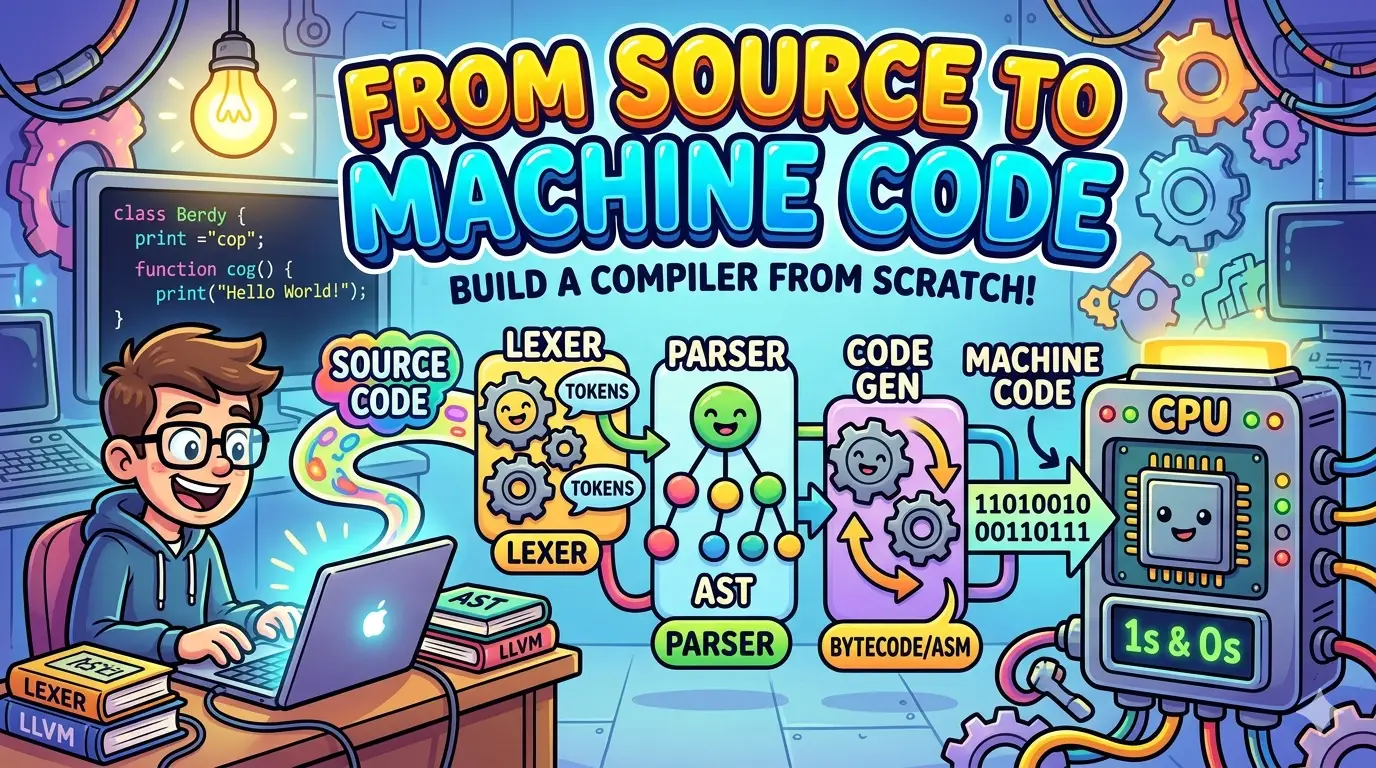
Build a compiler in C++ for Si, a small programming language targeting Linux x86-64. This ten-part series takes you from language design and tokenisation through parsing, type checking, intermediate representation, assembly generation, and optimisation.
Each chapter extends the same project, with explanations, implementation code, and tests. Our backend generates NASM assembly directly; NASM and the system linker turn that output into a native executable.
Start with Chapter 1: How a Compiler Works
Already familiar with compiler stages? Begin the project in Chapter 2.
Chapters
Follow the chapters in order to build the complete project, or choose a topic below to study a particular compiler stage. Chapter-specific source code is linked from the implementation chapters.
- 01
How a Compiler Works: From Source Code to Machine Code
Learn how a compiler transforms source code into machine code through lexing, parsing, semantic analysis, IR, optimisation and x86-64 code generation.
- 02
How to Design a Programming Language from Scratch
Design a small statically typed C-style programming language from scratch, including its syntax, types and grammar, then build its compiler in C++ with CMake and Docker.
- 03
How to Build a Lexer in C++: Lexical Analysis and Tokens
Build a lexer in C++ that converts source code into tokens, recognises keywords and operators, applies maximum munch, and reports useful errors.
- 04
How to Build a Recursive Descent Parser in C++ with an AST
Build a recursive descent parser in C++ that converts lexer tokens into an AST, handles operator precedence, reports syntax errors, and runs CTest tests.
- 05
Compiler Semantic Analysis: Symbols, Scopes and Types in C++
Learn semantic analysis in a compiler by building symbol tables, nested scopes and static type checking in C++, with diagnostics and CTest tests.
- 06
How to Build a Compiler IR in C++: Three-Address Code
Build an intermediate representation in C++. Lower a checked AST into three-address-style instructions with temporaries, variables, basic blocks, branches, loops and function calls.
- 07
How to Build a Compiler Backend in C++: x86-64 Generation
Build a compiler backend in C++ that translates checked IR into x86-64 NASM assembly with stack frames, arithmetic operations and native Linux executables.
- 08
x86-64 Function Calls in a C++ Compiler: System V ABI and Runtime
Add System V AMD64 function calls to a C++ compiler with x86-64 argument registers, stack alignment, return values, a NASM runtime and ELF64 linking.
- 09
Compiler Control Flow in C++: x86-64 Branches, Loops and Jumps
Implement compiler control flow in x86-64 assembly by lowering IR comparisons, conditional branches, if/else statements and while loops.
- 10
Compiler Optimisation in C++: Constant Folding and Dead Code Elimination
Build an IR optimiser in C++ with constant folding, branch simplification, unreachable-code removal and dead code elimination while preserving behaviour.
What You Will Build
The project connects a C++ compiler, a small assembly runtime, and a command-line toolchain. Together, they translate Si programs such as this one into executable code:
fn multiply(a: int, b: int): int {
    return a * b;
}

fn main(): int {
    let answer: int = multiply(6, 7);
    out(answer);
    return 0;
}
The example calls a function, multiplies two integers, and prints 42. Supporting it requires the compiler to recognise the source text, check its meaning, generate instructions, and link the program with the runtime.
Si provides a manageable set of language features: typed variables, arithmetic, functions, conditions, loops, and output. The focus is on understanding and testing every stage of the implementation.
Find a Specific Topic
| If you want to understand… | Read |
|---|---|
| How the compiler stages fit together | Chapter 1: How a Compiler Works |
| Language syntax, grammar, and project setup | Chapter 2: Language Design |
| Turning source characters into tokens | Chapter 3: Building a Lexer |
| Operator precedence and abstract syntax trees | Chapter 4: Recursive Descent Parsing |
| Symbol tables, scopes, and type checking | Chapter 5: Semantic Analysis |
| Lowering an AST into intermediate instructions | Chapter 6: Intermediate Representation |
| Generating x86-64 assembly | Chapter 7: The Compiler Backend |
| Function calls, the System V ABI, and linking | Chapter 8: Functions and Runtime |
| Implementing branches and loops | Chapter 9: Control Flow |
| Compiler optimisations | Chapter 10: Optimisation |
Before You Start
You should be comfortable reading C++, using classes and common data structures, and running commands in a terminal. Previous compiler-development experience is not required.
Assembly concepts are introduced as the project reaches code generation. If you would like to practise assembling and linking a small program first, read the x86-64 Assembly Hello World guide.
The project uses:
| Tool | Purpose |
|---|---|
| C++20 | Compiler implementation |
| CMake | Builds and test configuration |
| Docker | Reproducible Linux development environment |
| NASM | Assembling generated x86-64 code |
| GNU linker | Linking object files and the runtime |
| GDB | Inspecting and debugging programs |
Chapter 2 covers the environment and initial project setup.
How to Follow the Series
Work through one chapter at a time, build the changes, and run its tests before continuing. Keep a few small Si programs alongside the compiler so you can inspect how their tokens, syntax trees, intermediate instructions, and assembly change as features are added.
The implementation chapters link to their corresponding versions in the Si compiler repository. Use the version linked from the chapter you are reading to keep the code and explanation aligned.
Get the next part
New parts of From Source to Machine Code land in your inbox the day they publish. No spam, unsubscribe in one click.
We send your address to Kit, our email provider, and ask you to confirm by email before anything is sent. See our Privacy Statement.