Chapter 3 · Programming
How to Build a Lexer in C++: Lexical Analysis and Tokens
Build a lexer in C++ that converts source code into tokens, recognises keywords and operators, applies maximum munch, and reports useful errors.
By Gianni Updated 16 min Intermediate
On this page
In Chapter 2, we designed the Si programming language and established the basic structure of the gsisi compiler. We can now implement its first real compilation phase: the lexer.
A lexer, also called a scanner, reads raw source code and groups characters into meaningful tokens. These tokens represent identifiers, keywords, literals, operators, and punctuation.
The lexer does not determine what the program means. Its job is to turn an unstructured stream of characters into a structured stream of tokens that the parser can understand.
This is the first step where the compiler begins to understand the shape of the program.
Most lexers scan the input from left to right and produce the longest valid token at the current position. This principle is known as maximum munch and is especially important when the language contains operators such as ==, !=, <=, and >=.
What You Will Learn
By the end of this chapter, you will be able to:
- Understand what lexical analysis does in a compiler.
- Represent tokens with a type, lexeme, line, and column.
- Scan identifiers, keywords, integer literals, operators, and punctuation.
- Distinguish reserved keywords from ordinary identifiers.
- Apply maximum munch to multi-character operators.
- Skip whitespace and single-line comments.
- Report unexpected characters with useful source locations.
- Build and run the lexer against a Si source file.
What Is a Lexer?
A source file starts as nothing more than a sequence of characters.
For example:
let sum: int = 10;A parser should not have to repeatedly inspect individual characters to determine whether let is a keyword, whether 10 is an integer, or whether = is an operator.
The lexer performs that first layer of analysis.
It turns the source into a sequence such as:
LET          "let"
IDENTIFIER   "sum"
COLON        ":"
INT_TYPE     "int"
EQUALS       "="
INT_LITERAL  "10"
SEMICOLON    ";"
EOF          ""
The parser can then work with these tokens instead of raw characters.
From Source Code to Tokens
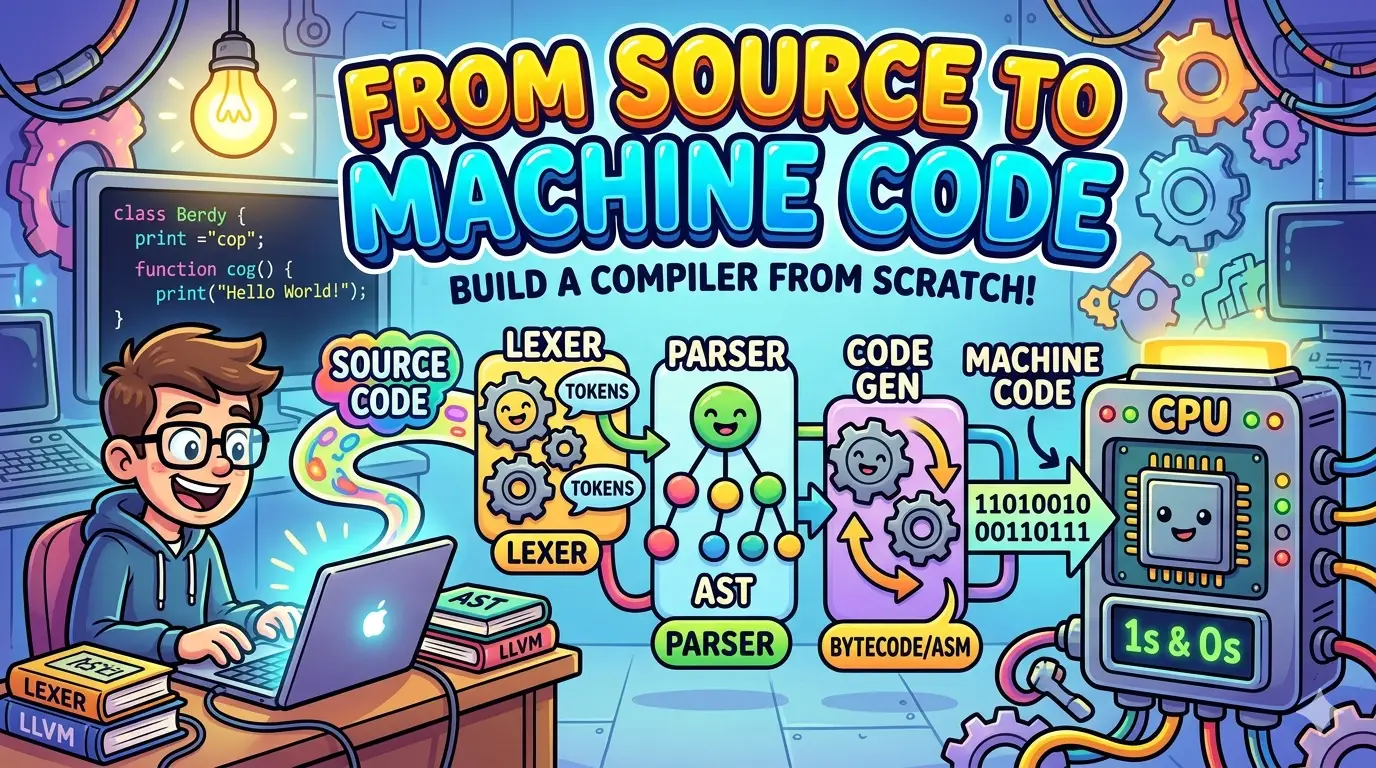
The compiler pipeline now begins to look like this:
source code
    ↓
characters
    ↓
lexer
    ↓
tokens
    ↓
parser
    ↓
AST
The lexer is therefore the boundary between the source file and the compiler’s structured representation of that source.
What the Lexer Does — and Doesn’t Do
The lexer answers questions such as:
- Is this sequence of characters an identifier?
- Is it a keyword such as
fnorwhile? - Is it an integer literal?
- Is this
=or the two-character operator==? - Where in the source did this token begin?
- Should this line be ignored because it is a comment?
It does not decide whether the tokens form a valid program.
For example, the lexer can recognise:
let value: int = 10;but it does not decide whether let is allowed in that particular position. That is the parser’s job.
Keeping these responsibilities separate makes the compiler easier to design. The lexer concentrates on lexical structure, while the parser will later concentrate on syntax.
Designing the Token Model
Before implementing the lexer itself, we need a representation for the things it produces.
A token needs two kinds of information:
- Classification: what kind of token it is.
- Source information: the exact text and location from which it was produced.
Our Token structure therefore contains four fields:
TokenType type;
std::string_view lexeme;
int line;
int column;
Token Types
An enum class gives us a strongly typed collection of token kinds.
Create gsisi/include/Token.hpp:
#pragma once

#include <ostream>
#include <string_view>

//--------------------------------------
// Token types
//--------------------------------------
enum class TokenType {
    Let,
    Fn,

    IntType,
    BoolType,
    VoidType,

    While,
    If,
    Else,
    Return,

    Identifier,
    IntLiteral,
    BoolLiteral,

    Equals,
    DoubleEquals,
    NotEqual,

    Plus,
    Minus,
    Star,
    Slash,

    Less,
    LessEqual,
    Greater,
    GreaterEqual,
    Not,

    Colon,
    SemiColon,
    Comma,

    OpenParen,
    CloseParen,
    OpenBrace,
    CloseBrace,

    EOF_Token,
    Unknown
};

//--------------------------------------
// Token
//--------------------------------------
struct Token {
    TokenType type;
    std::string_view lexeme;
    int line;
    int column;
};

//--------------------------------------
// Debug helpers
//--------------------------------------
[[nodiscard]] inline const char* tokenTypeToString(TokenType type) noexcept {
    switch (type) {
        case TokenType::Let:          return "LET";
        case TokenType::Fn:           return "FN";

        case TokenType::IntType:      return "INT_TYPE";
        case TokenType::BoolType:     return "BOOL_TYPE";
        case TokenType::VoidType:     return "VOID_TYPE";

        case TokenType::While:        return "WHILE";
        case TokenType::If:           return "IF";
        case TokenType::Else:         return "ELSE";
        case TokenType::Return:       return "RETURN";

        case TokenType::Identifier:   return "IDENTIFIER";
        case TokenType::IntLiteral:   return "INT_LITERAL";
        case TokenType::BoolLiteral:  return "BOOL_LITERAL";

        case TokenType::Equals:       return "EQUALS";
        case TokenType::DoubleEquals: return "DOUBLE_EQUALS";
        case TokenType::NotEqual:     return "NOT_EQUAL";

        case TokenType::Plus:         return "PLUS";
        case TokenType::Minus:        return "MINUS";
        case TokenType::Star:         return "STAR";
        case TokenType::Slash:        return "SLASH";

        case TokenType::Less:         return "LESS";
        case TokenType::LessEqual:    return "LESS_EQUAL";
        case TokenType::Greater:      return "GREATER";
        case TokenType::GreaterEqual: return "GREATER_EQUAL";
        case TokenType::Not:          return "NOT";

        case TokenType::Colon:        return "COLON";
        case TokenType::SemiColon:    return "SEMICOLON";
        case TokenType::Comma:        return "COMMA";

        case TokenType::OpenParen:    return "OPEN_PAREN";
        case TokenType::CloseParen:   return "CLOSE_PAREN";
        case TokenType::OpenBrace:    return "OPEN_BRACE";
        case TokenType::CloseBrace:   return "CLOSE_BRACE";

        case TokenType::EOF_Token:    return "EOF";
        case TokenType::Unknown:      return "UNKNOWN";
    }

    return "UNKNOWN";
}

inline std::ostream& operator<<(std::ostream& os, TokenType type) {
    return os << tokenTypeToString(type);
}
The Unknown token type is retained deliberately. The current lexer reports unexpected characters by throwing an exception, but keeping Unknown in the token model gives the compiler a token kind available for future error-recovery or diagnostic strategies.
Source Locations
The line and column fields record where a token begins in the source file.
Source locations are not necessary for recognising tokens, but they are essential for useful compiler diagnostics.
Compare:
Unexpected characterwith:
Unexpected character '@' at 1:21The second message immediately tells the programmer where to look.
As the compiler grows, the same location information can also be used by the parser and later compiler stages.
Lexemes and std::string_view
The lexeme field uses std::string_view, so a token does not own a separate copy of its text.
Instead, it refers to a range inside the source string owned by the lexer.
For example, if the source contains:
let counter = 10;the IDENTIFIER token for counter can point directly into the original source string.
This makes token creation inexpensive, but it introduces an important lifetime rule:
The lexer and its source string must remain alive for as long as the tokens are being used.
In main.cpp, the tokens are printed while the lexer is still in scope, so the views remain valid.
Designing the Lexer
The lexer moves through the source one character at a time.
A few small helper functions keep that traversal easy to understand:
peek()returns the current character without consuming it.advance()consumes the current character and moves to the next one.match()consumes a character only when it matches an expected value.
The lexer also stores the current line and column. These values allow it to associate every token and error with a source location.
Tracking the Current Position
The lexer needs three pieces of traversal state:
std::size_t _pos{0};

int _line{1};
int _column{1};
_pos identifies the current character in the source string.
_line and _column provide the human-readable source location.
When advance() consumes a newline, it increments the line number and resets the column to 1. For every other character, it simply advances the column.
Character Classification
The lexer also needs to recognise different categories of characters:
- whitespace
- digits
- letters
- underscores
- alphanumeric characters
These rules are implemented with four small helpers:
isWhitespace()
isDigit()
isAlpha()
isAlphaNumeric()
Keeping these rules separate makes the main tokenisation loop much easier to read.
Keyword Recognition
Keywords are scanned like identifiers first.
Once the complete sequence has been consumed, the lexer checks whether it matches one of Si’s reserved words.
For example:
"fn"       → FN
"while"    → WHILE
"return"   → RETURN
"int"      → INT_TYPE
"counter"  → IDENTIFIER
This is preferable to checking for keywords character by character because the lexer first determines the complete lexeme and only then classifies it.
Create gsisi/include/Lexer.hpp:
#pragma once

#include <cstddef>
#include <string>
#include <string_view>
#include <utility>
#include <vector>

#include "Token.hpp"

class Lexer {
public:
    explicit Lexer(std::string source)
        : _source(std::move(source)) {}

    [[nodiscard]] std::vector<Token> tokenise();

private:
    std::string _source;
    std::size_t _pos{0};

    int _line{1};
    int _column{1};

    [[nodiscard]] char peek() const noexcept;
    char advance() noexcept;
    bool match(char expected) noexcept;

    [[nodiscard]] static bool isWhitespace(char c) noexcept;
    [[nodiscard]] static bool isDigit(char c) noexcept;
    [[nodiscard]] static bool isAlpha(char c) noexcept;
    [[nodiscard]] static bool isAlphaNumeric(char c) noexcept;

    [[nodiscard]] Token makeToken(
        TokenType type,
        std::size_t startPos,
        int startLine,
        int startColumn
    ) const noexcept;

    [[nodiscard]] static TokenType classifyKeyword(
        std::string_view text
    ) noexcept;
};
Rather than calculating a token’s starting column after it has been scanned, tokenise() records the starting offset, line, and column before consuming the token.
This keeps source locations accurate and makes the implementation easier to extend later.
Implementing Tokenisation
The main tokenisation loop repeatedly examines the current character and selects the appropriate scanning rule.
The algorithm is deliberately straightforward:
while the current character is not the end of the source:
    if it is whitespace:
        consume it and continue

    remember the token's starting position
    consume the first character

    if it is a digit:
        consume every following digit
        emit an integer-literal token

    else if it begins an identifier:
        consume every following letter, digit, or underscore
        classify the text as a keyword or identifier
        emit the token

    else if it begins an operator or punctuation token:
        check whether a second character belongs to the token
        emit the longest valid token

    else:
        report an unexpected-character error

emit an end-of-file token
There are several important ideas hidden inside this simple loop.
Scanning Integer Literals
When the lexer sees a digit, it continues consuming digits until the sequence ends.
For example:
1234must become one INT_LITERAL token rather than four separate tokens.
This is an example of maximum munch: once an integer literal has started, consume the longest valid integer literal at the current position.
Scanning Identifiers and Keywords
Identifiers begin with a letter or underscore and may contain letters, digits, and underscores afterward.
For example:
sum
value_2
counter
are all valid identifier-shaped sequences.
The lexer consumes the complete sequence first and then calls classifyKeyword().
This produces results such as:
"fn"      → FN
"while"   → WHILE
"int"     → INT_TYPE
"sum"     → IDENTIFIER
The same mechanism is used for boolean literals:
"true"    → BOOL_LITERAL
"false"   → BOOL_LITERAL
Scanning Operators and Punctuation
Some tokens are always one character long:
+ - * / : ; , ( ) { }Others can be one or two characters:
=   ==
!   !=
<   <=
>   >=
This is where lookahead becomes important.
When the lexer sees =, for example, it needs to inspect the next character before deciding whether the token is = or ==.
Applying Maximum Munch
Maximum munch means that the lexer consumes the longest valid token available at the current position.
Consider:
if (value >= 10)When the lexer sees >, it first checks whether the next character is =.
Because >= is a valid token, it emits one GREATER_EQUAL token.
It must not emit:
GREATER
EQUALS
The same rule applies to:
== != <= >=Maximum munch is a small rule with a big impact: it ensures that the token stream matches the operator definitions of the language.
Handling Single-Line Comments
Si supports single-line comments beginning with //.
For example:
let value: int = 10; // Ignore this part.When the lexer encounters /, it checks whether another / follows.
If it does, the lexer consumes characters until it reaches a newline or the end of the source.
The newline itself is left for the normal whitespace rule. This is important because advance() is responsible for updating the line counter.
Reporting Lexer Errors
If the lexer encounters a character that does not belong to any valid token, it throws an exception containing the unexpected character and its source location.
For example:
let value: int = 10 @ 2;can produce:
Lexer error: Unexpected character '@' at 1:21The important part is not only detecting the error, but reporting where it occurred.
Complete Lexer Implementation
Create gsisi/src/Lexer.cpp:
#include "Lexer.hpp"

#include <stdexcept>
#include <string>

//--------------------------------------
// Character traversal
//--------------------------------------
char Lexer::peek() const noexcept {
    return (_pos < _source.size()) ? _source[_pos] : '\0';
}

char Lexer::advance() noexcept {
    const char current = _source[_pos++];

    if (current == '\n') {
        ++_line;
        _column = 1;
    } else {
        ++_column;
    }

    return current;
}

bool Lexer::match(char expected) noexcept {
    if (peek() != expected) {
        return false;
    }

    advance();
    return true;
}

//--------------------------------------
// Character classification
//--------------------------------------
bool Lexer::isWhitespace(char c) noexcept {
    return c == ' ' || c == '\t' || c == '\n' || c == '\r';
}

bool Lexer::isDigit(char c) noexcept {
    return c >= '0' && c <= '9';
}

bool Lexer::isAlpha(char c) noexcept {
    return (c >= 'a' && c <= 'z')
        || (c >= 'A' && c <= 'Z')
        || c == '_';
}

bool Lexer::isAlphaNumeric(char c) noexcept {
    return isAlpha(c) || isDigit(c);
}

//--------------------------------------
// Token creation
//--------------------------------------
Token Lexer::makeToken(
    TokenType type,
    std::size_t startPos,
    int startLine,
    int startColumn
) const noexcept {
    const std::size_t length = _pos - startPos;
    const std::string_view sourceView(_source);

    return Token{
        type,
        sourceView.substr(startPos, length),
        startLine,
        startColumn
    };
}

TokenType Lexer::classifyKeyword(std::string_view text) noexcept {
    if (text == "let")    return TokenType::Let;
    if (text == "fn")     return TokenType::Fn;

    if (text == "int")    return TokenType::IntType;
    if (text == "bool")   return TokenType::BoolType;
    if (text == "void")   return TokenType::VoidType;

    if (text == "while")  return TokenType::While;
    if (text == "if")     return TokenType::If;
    if (text == "else")   return TokenType::Else;
    if (text == "return") return TokenType::Return;

    if (text == "true")   return TokenType::BoolLiteral;
    if (text == "false")  return TokenType::BoolLiteral;

    return TokenType::Identifier;
}

//--------------------------------------
// Tokenisation
//--------------------------------------
std::vector<Token> Lexer::tokenise() {
    std::vector<Token> tokens;
    tokens.reserve(_source.size() / 4);

    while (peek() != '\0') {
        if (isWhitespace(peek())) {
            advance();
            continue;
        }

        const std::size_t startPos = _pos;
        const int startLine = _line;
        const int startColumn = _column;
        const char current = advance();

        // Integer literals
        if (isDigit(current)) {
            while (isDigit(peek())) {
                advance();
            }

            tokens.push_back(makeToken(
                TokenType::IntLiteral,
                startPos,
                startLine,
                startColumn
            ));
            continue;
        }

        // Identifiers and keywords
        if (isAlpha(current)) {
            while (isAlphaNumeric(peek())) {
                advance();
            }

            const std::string_view text =
                std::string_view(_source).substr(
                    startPos,
                    _pos - startPos
                );

            tokens.push_back(makeToken(
                classifyKeyword(text),
                startPos,
                startLine,
                startColumn
            ));
            continue;
        }

        // Operators, punctuation, and comments
        switch (current) {
            case '=':
                tokens.push_back(makeToken(
                    match('=') ? TokenType::DoubleEquals : TokenType::Equals,
                    startPos,
                    startLine,
                    startColumn
                ));
                break;

            case '!':
                tokens.push_back(makeToken(
                    match('=') ? TokenType::NotEqual : TokenType::Not,
                    startPos,
                    startLine,
                    startColumn
                ));
                break;

            case '<':
                tokens.push_back(makeToken(
                    match('=') ? TokenType::LessEqual : TokenType::Less,
                    startPos,
                    startLine,
                    startColumn
                ));
                break;

            case '>':
                tokens.push_back(makeToken(
                    match('=') ? TokenType::GreaterEqual : TokenType::Greater,
                    startPos,
                    startLine,
                    startColumn
                ));
                break;

            case '/':
                if (match('/')) {
                    while (peek() != '\n' && peek() != '\0') {
                        advance();
                    }
                } else {
                    tokens.push_back(makeToken(
                        TokenType::Slash,
                        startPos,
                        startLine,
                        startColumn
                    ));
                }
                break;

            case '+':
                tokens.push_back(makeToken(
                    TokenType::Plus,
                    startPos,
                    startLine,
                    startColumn
                ));
                break;

            case '-':
                tokens.push_back(makeToken(
                    TokenType::Minus,
                    startPos,
                    startLine,
                    startColumn
                ));
                break;

            case '*':
                tokens.push_back(makeToken(
                    TokenType::Star,
                    startPos,
                    startLine,
                    startColumn
                ));
                break;

            case ':':
                tokens.push_back(makeToken(
                    TokenType::Colon,
                    startPos,
                    startLine,
                    startColumn
                ));
                break;

            case ';':
                tokens.push_back(makeToken(
                    TokenType::SemiColon,
                    startPos,
                    startLine,
                    startColumn
                ));
                break;

            case ',':
                tokens.push_back(makeToken(
                    TokenType::Comma,
                    startPos,
                    startLine,
                    startColumn
                ));
                break;

            case '(':
                tokens.push_back(makeToken(
                    TokenType::OpenParen,
                    startPos,
                    startLine,
                    startColumn
                ));
                break;

            case ')':
                tokens.push_back(makeToken(
                    TokenType::CloseParen,
                    startPos,
                    startLine,
                    startColumn
                ));
                break;

            case '{':
                tokens.push_back(makeToken(
                    TokenType::OpenBrace,
                    startPos,
                    startLine,
                    startColumn
                ));
                break;

            case '}':
                tokens.push_back(makeToken(
                    TokenType::CloseBrace,
                    startPos,
                    startLine,
                    startColumn
                ));
                break;

            default:
                throw std::runtime_error(
                    "Unexpected character '" + std::string(1, current)
                    + "' at " + std::to_string(startLine)
                    + ':' + std::to_string(startColumn)
                );
        }
    }

    tokens.push_back(Token{
        TokenType::EOF_Token,
        {},
        _line,
        _column
    });

    return tokens;
}
There are several details worth highlighting in the complete implementation.
- Identifiers begin with a letter or underscore, but may contain digits after the first character.
- Keywords are scanned like identifiers first and classified only after the complete lexeme is known.
- Boolean literals are recognised during keyword classification.
- Operators use maximum munch, so
==,!=,<=, and>=are emitted as single tokens. - Comments are skipped rather than emitted as tokens.
- Unexpected characters produce diagnostics containing their source location.
- An explicit EOF token is appended after the complete source has been consumed.
Testing the Lexer
With the lexer implemented, we need a small executable that reads a source file and prints the resulting token stream.
Reading the Source File
Create gsisi/src/main.cpp:
#include <exception>
#include <fstream>
#include <iostream>
#include <sstream>
#include <string>
#include <utility>
#include <vector>

#include "Lexer.hpp"
#include "Token.hpp"

/**
 * Usage: ./si_compiler <source_file.si>
 */
int main(int argc, char* argv[]) {
    if (argc != 2) {
        std::cerr << "Usage: " << argv[0] << " <source_file.si>\n";
        return 1;
    }

    const std::string filename = argv[1];
    std::ifstream inputFile(filename);

    if (!inputFile.is_open()) {
        std::cerr << "Error: Could not open '" << filename << "'.\n";
        return 1;
    }

    std::stringstream buffer;
    buffer << inputFile.rdbuf();

    if (inputFile.bad()) {
        std::cerr << "Error: Could not read '" << filename << "'.\n";
        return 1;
    }

    try {
        Lexer lexer(buffer.str());
        const std::vector<Token> tokens = lexer.tokenise();

        for (const Token& token : tokens) {
            std::cout
                << token.line << ':' << token.column
                << "  " << token.type
                << "  '" << token.lexeme << "'\n";
        }
    } catch (const std::exception& error) {
        std::cerr << "Lexer error: " << error.what() << '\n';
        return 1;
    }

    return 0;
}
The program performs four steps:
- Validate that a source-file path was provided.
- Read the complete file into a string.
- Pass that string to the lexer.
- Print every generated token for debugging.
Printing the token stream is useful while developing the front end. In the next chapter, the parser will consume these tokens instead.
A Test Si Program
Create gsisi/tests/test.si:
fn add(a: int, b: int): int {
    return (a + b);
}

fn main(): int {
    let limit: int = 10;
    let sum: int = 0;
    let i: int = 1;

    while (i <= limit) {
        sum = add(sum, i);
        i = i + 1;
    }

    out(sum); // Should eventually output 55

    return 1;
}
At this stage, gsisi does not execute the program. It only prints the tokens recognised by the lexer.
The test program is useful because it exercises several lexer features at once:
- function declarations
- identifiers
- type keywords
- integer literals
- parentheses and braces
- arithmetic operators
- the
<=multi-character operator - comments
- whitespace and newlines
Building and Running the Lexer
From the repository root, configure and build the project:
cmake -S . -B build
cmake --build build
Then run the compiler with the test file:
./build/si_compiler tests/test.siInspecting the Token Stream
The beginning of the output should look similar to this:
1:1  FN  'fn'
1:4  IDENTIFIER  'add'
1:7  OPEN_PAREN  '('
1:8  IDENTIFIER  'a'
1:9  COLON  ':'
1:11  INT_TYPE  'int'
Every token includes:
- its starting line
- its starting column
- its token type
- its lexeme
This information gives the parser a clean input stream and gives later compiler stages enough source information to produce useful diagnostics.
Testing Maximum Munch
A small test can make the maximum-munch rule particularly easy to see:
let a: bool = value == 10;
let b: bool = value != 10;
let c: bool = value <= 10;
let d: bool = value >= 10;
The lexer should produce one token for each of these operators:
DOUBLE_EQUALS
NOT_EQUAL
LESS_EQUAL
GREATER_EQUAL
It should not split them into two separate tokens.
Testing Identifiers and Keywords
Try:
let value_2: int = 10;
let valid: bool = true;
let result: int = value_2;
Here let, int, and bool are keywords, while value_2 and result are identifiers.
The lexer decides this distinction based entirely on the complete lexeme.
Testing Comments
Try:
let value: int = 10; // This should be ignored.The comment should not appear in the token stream.
The lexer consumes it until the newline and then continues tokenising normally.
Testing Invalid Input
Finally, try an invalid character:
let value: int = 10 @ 2;The lexer should report an error containing the character and its source location:
Lexer error: Unexpected character '@' at 1:21This is the first step toward proper compiler diagnostics.
Rather than simply saying that the source is invalid, the compiler can tell the programmer exactly where the problem occurred.
Chapter Summary
In this chapter, we built the first working stage of gsisi.
The lexer:
- Converts raw source text into a sequence of tokens.
- Represents tokens with a type, lexeme, line, and column.
- Recognises identifiers, keywords, boolean literals, integer literals, operators, and punctuation.
- Uses maximum munch to recognise multi-character operators correctly.
- Skips whitespace and single-line comments.
- Reports unexpected characters with useful source locations.
- Produces an explicit EOF token for the parser.
The important architectural boundary is now in place:
source text → lexer → tokensThe compiler no longer has to reason directly about a flat stream of characters. It has a structured token stream that the next stage can consume.
Next Chapter
In Chapter 4, we will build a recursive descent parser that transforms the token stream into an Abstract Syntax Tree (AST).
The lexer answers:
“What are these characters?”
The parser will answer:
“How are these tokens structured as a program?”
Get the next part
New parts of From Source to Machine Code land in your inbox the day they publish. No spam, unsubscribe in one click.
We send your address to Kit, our email provider, and ask you to confirm by email before anything is sent. See our Privacy Statement.